

TLDR
Check your dental website’s speed, mobile layout, crawlability and structure before deciding what to fix yourself or assign to a specialist. Technical SEO helps search engines find and understand your pages. Use the audit to identify barriers to finding services and contacting the practice, and review results after making changes.
Table of contents
Why Technical SEO Matters for Dental Practices
A dental and orthodontic SEO strategy combines technical access, useful service pages, accurate local profiles, and inquiry measurement. For a broader overview, visit Dental and Orthodontic SEO Strategy.
Search engines crawl websites to discover pages and understand their content. Technical SEO helps make important pages accessible, usable on mobile devices and clear to search engines. These improvements support the website alongside useful content and accurate practice information.
Technical problems can make important service or contact information difficult to access. An audit helps identify those barriers and establish which repairs are justified. Technical improvements do not guarantee a particular position in local search results.
Check the mobile experience as well as the desktop experience. Visitors should be able to find hours, location and contact information and complete an inquiry without struggling with the layout or waiting for unnecessary resources.
Measure the results that matter to the practice: successful inquiries, usable contact forms and access to relevant service information. Use search visibility and website analytics as supporting evidence rather than assuming a technical change will produce new patients.
Your website supports traffic from advertising, local listings, reviews and articles. Prioritize technical repairs according to the problems you can reproduce and their effect on visitors. The return on an individual repair depends on the starting problem, implementation and measurement.
Core Technical SEO Areas for Dental Websites
Five main technical areas affect search rankings and patient experience on dental websites. Understanding each one helps you prioritize fixes and know what to evaluate on your own site.
Site Speed and Page Performance
Slow pages can make it harder for visitors to use a website. Review real-user performance data where available and use lab tests to diagnose specific causes. Google considers Core Web Vitals as part of page experience, but a good score does not guarantee higher rankings. See Google’s page experience guidance.
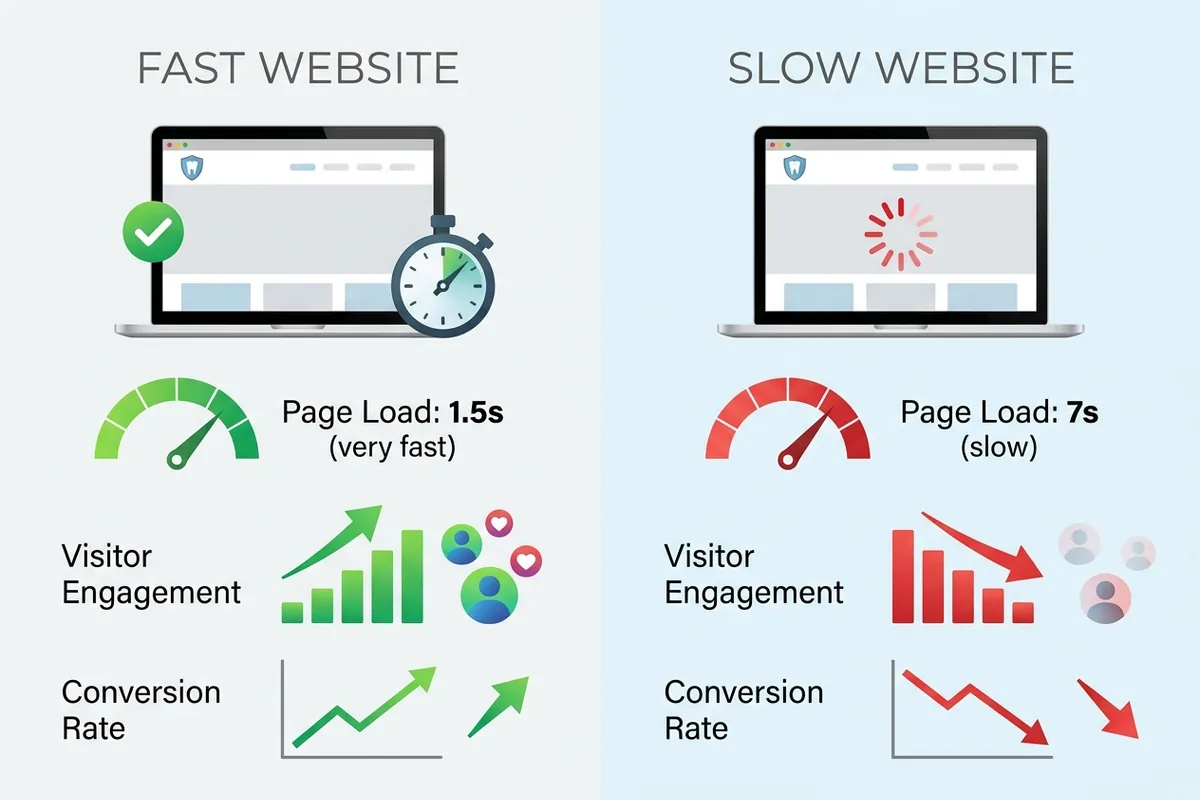
You can measure your site speed for free using Google PageSpeed Insights or GTmetrix. Enter your website URL, and these tools show you how fast your pages load on mobile and desktop, flag bottlenecks like large unoptimized images or slow hosting, and suggest fixes. Most practices discover that outdated hosting, uncompressed images, or bloated website platforms are culprits.
Mobile Responsiveness and User Experience
A responsive website adjusts its layout, text and navigation to different screen sizes. Check that visitors can find the phone number, hours, address and inquiry route without horizontal scrolling, unreadable text or overlapping controls.
Test key pages on a smartphone and in a browser’s device emulator. Check navigation, readable text, tap targets and the complete contact journey. Inspect the rendered page with Search Console URL Inspection when diagnosing what Google can access.
Structured Data and Schema Markup
Schema markup describes the content and entities on a page in a structured format. Use accurate business information where appropriate, and mark up only information supported by the visible page. Structured data does not guarantee a particular search appearance or control every field in a Google Business Profile.
Validate supported Google features with Google’s Rich Results Test and general Schema.org markup with Schema Markup Validator. Resolve validation errors and check the page’s eligibility, while recognizing that valid markup does not guarantee a rich result.
Site Crawlability and Indexing
Search engines use automated bots to crawl your website, following links from page to page to understand your content. Crawlability problems occur when bots can’t access pages, broken internal links block navigation, or pages are accidentally blocked from indexing. If your ‘Services’ page or ‘New Patient’ page is blocked or broken, Google can’t index it, and patients searching for those services won’t find your practice.
Use Search Console’s Page indexing report and URL Inspection to investigate indexing. Check the final HTTP response, robots.txt rules, meta robots directives and canonical URL separately. A robots.txt block limits crawling; it is not a substitute for a noindex directive. Use a crawl tool to check broken internal links and inspect important pages directly.
Site Architecture and Information Organization
How you organize your website affects both search engines and patient experience. A clear hierarchy—where your homepage links to main service pages, those pages link to specific treatments, and everything connects logically—makes it easy for Google to understand your site structure and for patients to find information. Confusing navigation, orphaned pages with no internal links, or a flat structure where everything links randomly creates friction for both bots and visitors.
For a dental practice, this means organizing your services logically: general dentistry at the top level, with specific treatments (cleanings, fillings, root canals) nested beneath. Your new patient pages should link to insurance information and booking. Your blog should link back to relevant service pages. Internal links create pathways for Google to discover and rank your content while guiding patients toward appointment booking.
How to Audit Your Dental Website’s Technical SEO
You don’t need coding skills to conduct a basic technical SEO audit. Follow these steps to identify issues on your own site:
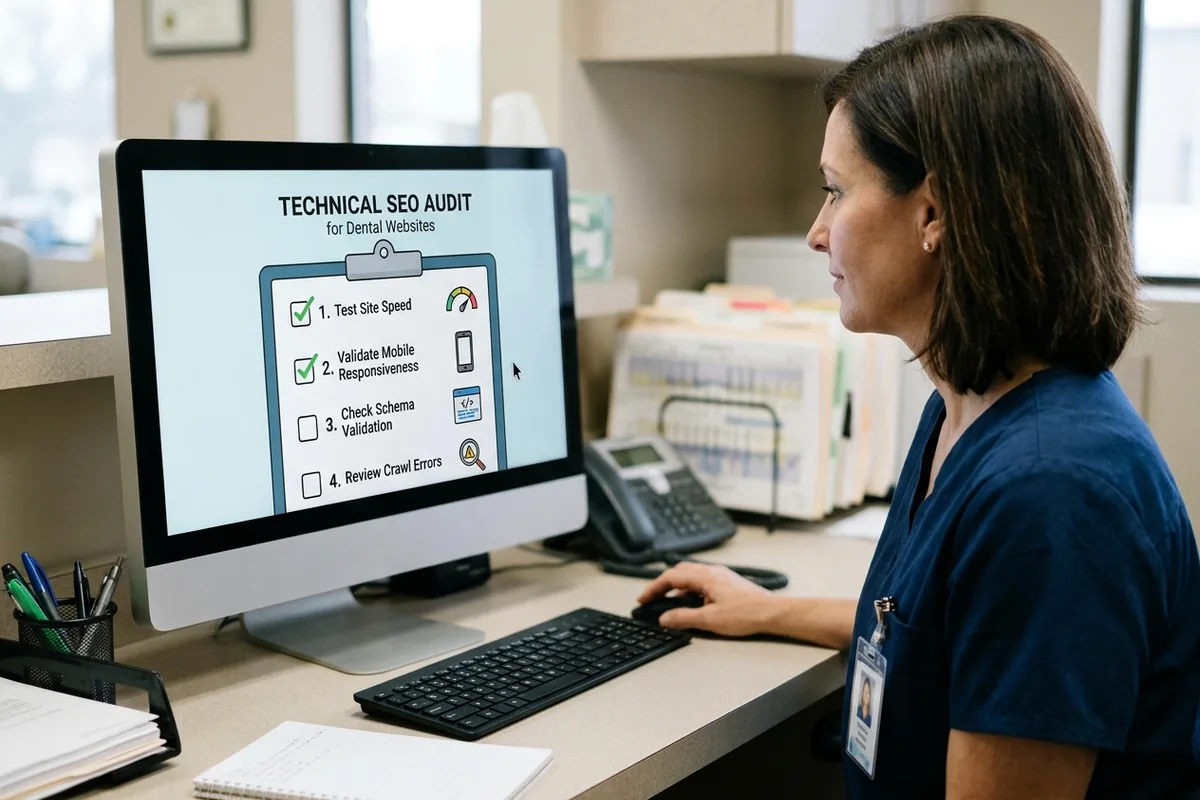
- Access and indexing. Record the final HTTP status, crawl rules, index directives and rendered content for each affected URL. Investigate confirmed access or indexing blockers first.
- Canonical and sitemap. Compare the preferred permalink with its canonical and generated sitemap entry. Record any mismatch and correct only the demonstrated source.
- Mobile functionality. Test navigation and the complete inquiry journey on representative small screens. Record the failing interaction and expected result.
- Performance. Save available field data and lab diagnostics for the same URL and device. Use measurements to assign a specific repair, then retest under comparable conditions.
- Metadata and schema. Compare HTML title, description, social tags and structured data with the approved article metadata. Validate relevant markup and ensure visible FAQs match their structured answers.
- Links and acceptance checks. Check contextual service and contact links. Record severity, owner, baseline, planned change, rollback, pass/fail criterion and retest date for each finding.
Use the recorded findings to decide which repairs are justified. Recheck the same affected URLs after each change rather than treating a tool score as proof that the whole site is healthy.
Common Technical SEO Mistakes Dental Practices Make
Practices of all sizes share recurring technical problems that hurt search rankings and patient experience. Knowing these mistakes helps you avoid them—or recognize them if they’re already on your site.
Unmaintained Platforms. Review supported software, performance and mobile behavior based on evidence. Age alone does not establish that a theme or website is defective. Plan any theme, hosting or software changes separately, with backups and a tested rollback.
Inaccurate Structured Data. Check that business and article markup describes the visible content accurately. Missing optional markup does not, by itself, establish a ranking penalty. Correct errors without adding unsupported claims or changing unrelated pages.
Poor Mobile Experience. Look for text that is difficult to read, overlapping controls, hard-to-tap buttons and inquiry forms that fail on small screens. Record reproducible failures and retest the same interactions after repair.
Unmeasured Performance Changes. Large images or slow server responses can contribute to delays. Measure the problem before recommending image, hosting or script changes; do not promise a fixed reduction in load time without testing.
Duplicate or Unclear Page Purpose. Review substantially similar URLs and identify the preferred version. Ordinary duplicate content is generally a canonicalization issue, rather than an automatic penalty. Give each useful page a clear purpose and consistent internal links.
Broken Internal Links and Navigation. When practices update their website, old pages sometimes get deleted without redirects, or menu links point to pages that no longer exist. Every broken link is a dead end for Google’s crawlers and a frustration for patients trying to navigate.
Record the affected URLs, evidence, repair owner and acceptance check for each issue. Fix verified access and indexing blockers before lower-impact refinements, then measure the result.
When to Hire a Dental SEO Specialist
After auditing your site, you may discover technical issues that need attention. The question then becomes: should you fix these yourself or hire professional help?
Consider a self-service approach if you have an in-house web developer, your issues are limited (e.g., one or two specific problems like image compression or a broken link), and you have time to research and implement fixes carefully. Many technical tasks—like optimizing images, fixing broken links, or updating schema in a website builder—can be handled by someone without deep coding expertise. Free resources and guides abound.
Hire a specialist when the audit identifies changes beyond the team’s experience, such as server configuration or complex rendering problems. Ask for the observed fault, proposed scope, dependencies and rollback before approving implementation.
If a repair is uncertain, ask the developer or SEO specialist to explain how it will be tested and which pages it affects. Keep broader website work separate from a narrowly scoped article update.
Understanding your options around dental SEO keyword strategy, dental website development timeline, and dental practice brand positioning helps you contextualize whether technical SEO alone will meet your goals or whether you need broader support. For practices seeking integrated guidance on how technical foundations support your overall marketing strategy, understanding the full picture helps you prioritize your next steps. Learn more about how technical SEO fits into your broader Dental Orthodontic Seo.
Your Next Steps for Technical SEO Success
Start with a recorded baseline: inspect crawlability, indexing, canonical URLs and the sitemap, then test mobile functionality and performance. Assign repairs according to demonstrated impact rather than assuming that every site needs the same changes.
Prioritize verified access and indexing blockers, followed by broken navigation or inquiry journeys and measured performance problems. Record the result of each repair before expanding the scope.
If the audit identifies work that needs specialist support, review our dental SEO services or contact Ortho Marketing to discuss the findings.
Summary
Technical SEO helps search engines access and understand important pages while supporting a usable website. Start with an evidence-based audit, resolve demonstrated blockers and verify each repair on the affected URL.
Keep a record of what changed and compare relevant measurements after implementation. Technical repairs can support the website, but they do not guarantee indexing, rankings or appointment bookings.
FAQ
What is technical SEO for dental websites?
Technical SEO concerns the accessibility, performance and structure of a website, including crawlability, indexing, canonical URLs, mobile usability and structured data. Its purpose is to remove technical barriers; it does not guarantee rankings.
Why does site speed matter for my dental practice’s search rankings?
Page speed can affect how easily visitors use the site. Review available real-user Core Web Vitals and lab diagnostics, then test specific improvements. A good performance score does not guarantee higher rankings or more inquiries.
How do I know if my dental website is mobile-responsive?
Test important pages and the full inquiry journey on a smartphone and in a browser’s device emulator. Check readability, navigation, tap targets and form completion. Google’s Mobile-Friendly Test has been retired; use current tools and Search Console URL Inspection when investigating rendered content.
What is schema markup and do I need it on my dental website?
Schema markup describes information on the page in a structured format. Use accurate, relevant markup and validate it with Google’s Rich Results Test or Schema Markup Validator. Valid markup does not guarantee a rich result, and missing optional markup does not automatically mean lower rankings.
Can I fix technical SEO issues myself, or do I need to hire a specialist?
Teams can handle changes within their experience when the scope and rollback are clear. Server configuration, complex rendering and broader website changes need appropriate technical review and testing.
How long does it take to see ranking improvements from technical SEO fixes?
There is no guaranteed timetable. First verify that the technical fault is resolved, then monitor relevant Search Console and website measurements. Requesting recrawling does not guarantee crawling, indexing or a ranking change.


